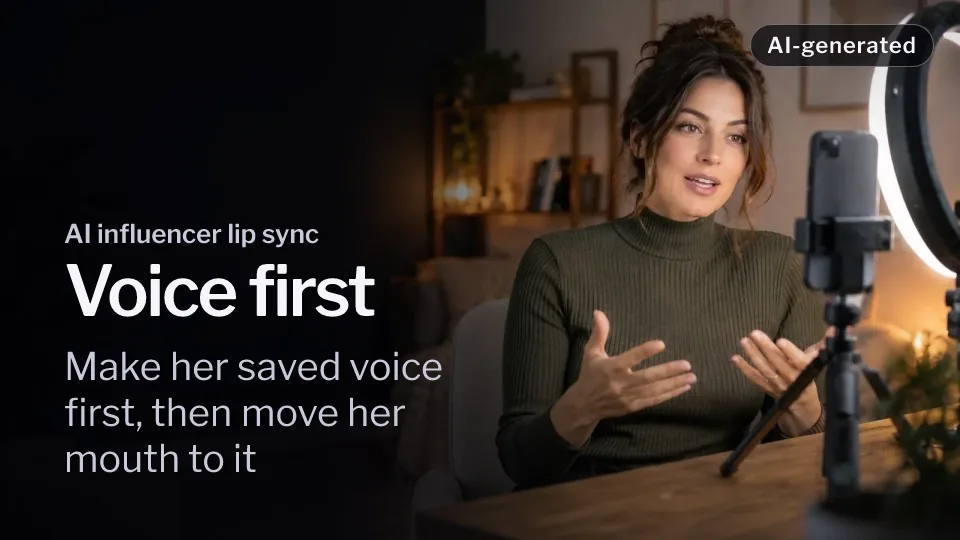
In short
- Make the voice first and the video second. Lip sync moves her mouth to audio that already exists.
- Image plus audio models like InfiniteTalk keep your saved voice exactly. Video models with their own sound make up a new voice.
- On WaveSpeed on 5 October 2026, InfiniteTalk cost $0.03 per second at 480p and $0.06 at 720p, with a 3-second minimum.
- InfiniteTalk's makers say one image gives good results for up to a minute. After that, colour shifts get stronger.
- A talking persona needs an AI label on the post. Meta asks for it on realistic-sounding audio.
On this page
- Three ways to make your AI influencer talk
- Make her voice first, then the video
- How to make a talking AI influencer video with InfiniteTalk
- Lip sync on a clip you already have
- Video models with their own sound: MiniMax H3 and Gemini Omni
- What AI influencer lip sync costs per clip
- Label a talking AI influencer video
- Questions people ask
AI influencerAI influencer An AI influencer is an invented character whose photos, videos and captions are generated with AI instead of photographed. She is published, followed and monetised on the same platforms as a human creator. Read the full explanation lip sync means her mouth moves with words in her own saved voice. Make the audio first. Then give it, with one image of her, to a talking-avatar model such as InfiniteTalk. On WaveSpeed that cost $0.03 per second at 480p on 5 October 2026. Label every talking clip as AI.
There are three ways to make your persona talk, and two of them keep the exact voice you saved. Below: which to use, how, and the cost.
Three ways to make your AI influencer talk
You can animate a still image to your audio, put new lip movements on a clip you already have, or let a video model make the speech itself. The first two keep your saved voice. The third makes up a voice.
| Way | What you give it | Her voice | Example models |
|---|---|---|---|
| Image plus audio | One image of her and your audio file | Exactly your saved voice | InfiniteTalk image-to-video |
| Lip sync on a clip | A silent video of her and your audio file | Exactly your saved voice | InfiniteTalk video-to-video |
| Video with its own sound | A prompt with her lines, plus references | A new voice made by the model | MiniMax H3, Gemini Omni |
For a persona, the voice matters as much as the face. Fans hear her in Reels, in voice notes and in videos. If the voice changes from clip to clip, she stops sounding like one person. So for anything where she talks to the camera, start with one of the first two ways.
Make her voice first, then the video
Lip sync starts from finished audio. Render the line with her saved voice, check it by ear, and only then make the video.
- Use one saved voice for the persona. MiniMax voice clone and Voice Design shows how to design one and keep its voice ID.
- Keep the line short. 10 to 20 seconds is a full talking Reel. Short lines are cheaper to redo.
- Export clean audio. No music under the voice. Add music after the lip sync, in your editor.
- Never use a real person’s voice. Not a singer, not a streamer, not a clip from someone else’s video.
How to make a talking AI influencer video with InfiniteTalk
Upload one image of her and the audio file, choose 480p for the test, and generate. InfiniteTalk moves her mouth, head and body to the audio.
“InfiniteTalk is an unlimited-length talking video generation model that supports both audio-driven video-to-video and image-to-video generation”. “I2V generation: Generates good results from a single image for up to 1 minute. Beyond 1 minute, color shifts become more pronounced.” License: “The models in this repository are licensed under the Apache 2.0 License. We claim no rights over the your generated contents”. Base model: Wan2.1-I2V-14B-480P.
MeiGen-AI — InfiniteTalk GitHub repository (opens in a new tab)checked
“InfiniteTalk Image-to-Video converts a single photo and audio track into long-form audio-driven talking or singing avatar videos, supporting up to 10 minutes, 720P output”. “Standard Rate: $0.03 per second”. “HD (720p) Rate: $0.06 per second”. “Minimum Charge: All videos are billed for a minimum of 3 seconds (costing at least $0.09).” Processing takes “approximately 10–30 seconds of wall time per 1 second of video”. Prompt: “Avoid writing too many prompts and the recommend language is English”. “Do not upload the full image as mask_image. The mask should only cover the regions you want to animate—otherwise the result may render as fully black.”
- Pick the image. Front-facing or a slight three-quarter view, mouth closed or slightly open, nothing covering the lips. A clear head-and-shoulders image works best for a talking clip.
- Upload the audio file with her saved voice.
- Write one short prompt in English, for the expression only: “She talks warmly to the camera and smiles now and then.”
- Leave the mask empty unless you want only part of the image to move. If you use one, never mask the whole image.
- Generate at 480p first. A 15-second test costs $0.45 and takes a few minutes.
- Check the mouth on hard sounds like p, b and m, the teeth, and her face in the last second.
- Render the keeper at 720p, and add music and captions in your editor.
If you run it on your own graphics card, the weights are free, but you need a card that can run a 14-billion-parameter Wan 2.1 model. What an AI persona costs to start compares buying a card, renting one and paying per clip.
Which lip-sync model keeps your persona's face steady while she talks? Ask it in #technical-inquiries. Someone there has usually had the same problem.
Lip sync on a clip you already have
If you already have a silent clip of her, for example from image-to-video, InfiniteTalk’s video-to-video mode puts new lip movements on it. The price is the same as image plus audio.
“InfiniteTalk creates new videos by combining an input silent video and an audio track. It ensures precise lip synchronization while aligning head, face, and body movements with the audio.” 480p: $0.15 per 5 seconds, 720p: $0.30 per 5 seconds, maximum length 10 minutes, minimum charge 3 seconds.
WaveSpeedAI — InfiniteTalk Video-to-Video (opens in a new tab)checked
The GitHub page adds that in video-to-video, “The model mimics the original video’s camera movement, though not identically.” So a slow camera push in your clip may come out a little different.
This route makes sense when the movement matters: she walks, turns or holds something, and then says one line. You pay twice, once for the clip and once for the lip sync. The AI video model comparison shows how to make the silent clip first.
Video models with their own sound: MiniMax H3 and Gemini Omni
Some video models make the speech themselves in the same run. That is fast, but the voice comes from the model, not from your saved voice.
MiniMax H3 can take an audio clip as a reference. Its model card shows what that is for:
H3 “can generate video with native stereo audio at resolutions up to 2K and durations of up to 15 seconds.” In an example workflow, the second audio clip “is the voice timbre reference” for the subject’s voice, “containing a spoken male voiceover”. The result “references the calm male voice timbre” of that clip for the subject’s “spoken lines”. Output audio is “32 kHz stereo”, with “Stable support for 11 languages”.
Hugging Face — MiniMax-H3 model card (opens in a new tab)checked
Timbre is the tone and colour of a voice. H3 uses your recording as a guide and speaks the new line itself. It does not play your file. Google’s Gemini Omni goes further and takes no audio input at all:
“Uploading audio references is unsupported in the current version of the API.” “Voice editing is not supported.” “By default the model will try to generate an appropriate audio track for a video.” “Uploading and editing images containing certain recognizable people is not supported.”
Google AI for Developers — Gemini Omni Flash (opens in a new tab)checked
So use these models for clips where her exact voice does not matter: ambient sound, a laugh, a short reaction. For real talking, use your saved voice and a lip-sync model.
What the sources do not say
Finding how closely MiniMax H3 copies a reference voice
We looked for a statement from MiniMax on how close H3’s speech comes to a reference recording. We did not find one.
The MiniMax-H3 model card shows a reference audio as a “voice timbre reference” in one example, and nothing more. MiniMax’s video generation guide lists reference audio only as an input with limits: up to 3 clips, 2 to 15 seconds each. WaveSpeed’s H3 reference-to-video page explains how to tag an audio clip in a prompt, not what the model does with it. No page gives a measure of voice similarity, or says whether the same voice comes back in the next clip.
You can check this yourself. Open the MiniMax-H3 model card on Hugging Face and search for “timbre”. Then open MiniMax’s video generation guide and WaveSpeed’s MiniMax H3 reference-to-video page and search for “audio”.
What AI influencer lip sync costs per clip
A 20-second talking clip cost $0.60 at 480p and $1.20 at 720p with InfiniteTalk on WaveSpeed, worked out from the prices on 5 October 2026.
2 s clipbilled as 3 s
15 s clip
20 s clip
60 s clip
SourceWaveSpeedAI — InfiniteTalk (opens in a new tab)checked
For video-to-video, add the cost of the silent clip you start from. A video model with its own sound has a different limit: MiniMax H3 makes at most 15 seconds per clip, so a 20-second line needs two clips and a cut.
Plan for retries. Lip sync fails in small ways, like a smeared tooth or a late “m”. Most faults have a clear cause:
- MaskThe mask covered the whole image. Leave it empty, or mask only the parts that should move.
- LengthInfiniteTalk’s makers say colour shifts get stronger after one minute from one image. Keep talking clips under a minute.
- Video-to-videoThe model copies the camera move of your clip, but not exactly. Start from a clip with a still camera.
- RouteA video model with its own sound made a new voice. Use her saved voice and a lip-sync model.
What generation costs lists InfiniteTalk next to the other video models, with the date of each price.
Label a talking AI influencer video
A lip-synced clip has a realistic face and a realistic voice, so it needs an AI labelAI label An AI label is a platform’s own marker that says an account or a post is AI-generated. Open the glossary on the post. Your account label alone is not enough on Instagram.
“We’ll require people to use this disclosure and label tool when they post organic content with a photorealistic video or realistic-sounding audio that was digitally created or altered, and we may apply penalties if they fail to do so.”
Meta Newsroom — Labeling AI-Generated Images on Facebook, Instagram and Threads (opens in a new tab)checked
“Deployers of an AI system that generates or manipulates image, audio or video content constituting a deep fake shall disclose that the content has been artificially generated or manipulated.”
Instagram’s AI-generated profile label explains the account label, and the AI label matrix shows what TikTok, YouTube and the others want on a post. Keep the files as they come out of the model. Don’t strip your watermarks shows how to check what a clip carries. This is not legal advice.
Start with one line. Render 15 seconds of her saved voice saying hello to new followers, pick your clearest front-facing image of her, and run InfiniteTalk at 480p. If the mouth matches on the p, b and m sounds and her face still looks like her at the end, render it at 720p, label it as AI and post it.
Sources for this article
The platform rules, laws and numbers above come from these documents. The date says when we last opened each one and checked it.
- MeiGen-AI — InfiniteTalk GitHub repositorychecked
- WaveSpeedAI — InfiniteTalkchecked
- WaveSpeedAI — InfiniteTalk Video-to-Videochecked
- Hugging Face — MiniMax-H3 model cardchecked
- Google AI for Developers — Gemini Omni Flashchecked
- Meta Newsroom — Labeling AI-Generated Images on Facebook, Instagram and Threadschecked
- EU AI Act Art. 50(4)checked
Questions people ask
What is the best way to make an AI influencer talk?
Make her voice first, with one saved voice, and then give that audio and one image of her to a talking-avatar model such as InfiniteTalk. This route, and lip sync on a clip you already have, are the only two where the audio you hear is exactly the voice you saved.
How long can a lip-sync video of my persona be?
On WaveSpeed, InfiniteTalk takes up to 10 minutes per job. Its makers say a single image gives good results for up to 1 minute, and colour shifts get stronger after that. For Reels, stay well under a minute.
Can I lip sync my AI influencer for free?
The InfiniteTalk weights are free under the Apache 2.0 licence, so you can run them on your own graphics card. Hosted, it cost $0.03 per second at 480p on WaveSpeed on 5 October 2026.
Can MiniMax H3 or Gemini Omni use my persona's voice?
MiniMax H3 can take an audio clip as a reference for the tone of a speaker's voice, but MiniMax does not say how close the result is. Gemini Omni does not accept audio references at all. Both generate new speech, so the voice can differ from clip to clip.
Do I have to label a lip-synced AI influencer video?
Yes. A talking persona has a realistic face and realistic audio. Meta requires its AI label for realistic-sounding audio, and EU Article 50(4) names audio and video.