In short
- Start with reference images. Nano Banana, FLUX.2, Seedream and Kling Elements keep a face with no training, and Black Forest Labs writes "No need for finetuning" on its FLUX.2 [dev] model card.
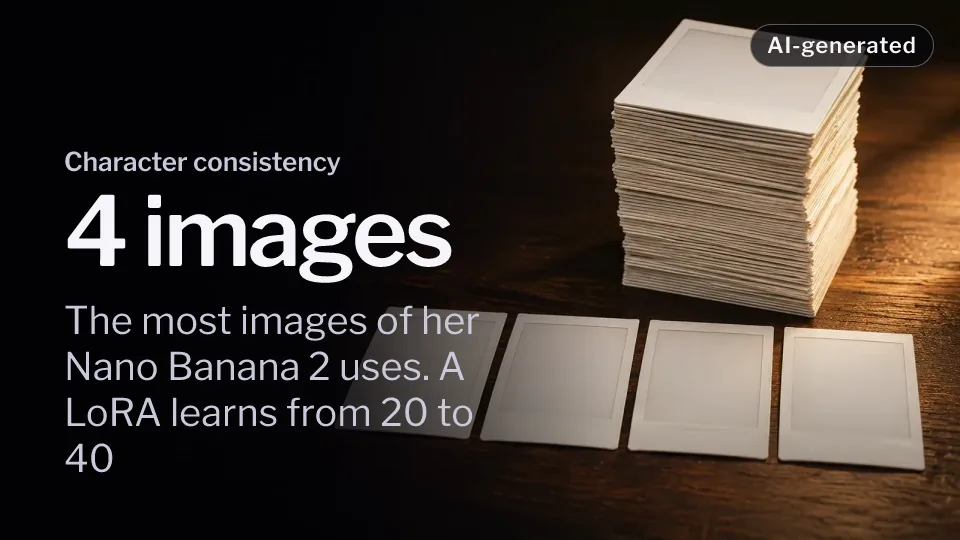
- The reference slots for a person are small: 4 images on Nano Banana 2, 5 on Nano Banana Pro, 2 to 4 in a Kling element. A LoRA learns from twenty to forty images.
- Money is rarely the reason to wait. On WaveSpeed prices of 3 November 2026, a $2.50 training run is paid back after about 42 images compared with Nano Banana 2.
- Training is wasted when the model you post from cannot load a LoRA, or when your dataset comes from a tool whose terms forbid training on its outputs.
- No maker publishes a test of its reference feature against a trained LoRA on the same face. Run that test yourself before you switch.
On this page
- What reference models hold today, with no training
- Do you still need a LoRA for character consistency? Four cases where yes
- What a LoRA saves per image: prices on 3 November 2026
- When training a LoRA is wasted work
- A decision path: reference images or a trained LoRA
- Run the test on your own persona this week
- Questions people ask
Do you still need a LoRALoRA A LoRA is a small file trained on images of one subject. It teaches a general image model to reproduce that specific face or style. Open the glossary for character consistency? Not to start. Nano Banana, FLUX.2, Seedream, Kling Elements and Seedance keep a face from reference images, with no training at all. A LoRA still pays off in four cases: high volume, angles the reference slots cannot hold, your own open-model pipeline, and video models that learn her face. Training itself costs a few dollars. The real work is the dataset.
What reference models hold today, with no training
Every maker now publishes how many reference images its model takes. For your persona, the number that counts is how many images can show her. Here are the limits on the makers’ own pages on 3 November 2026:
| Model | Images of her per request | What the maker says about the rest |
|---|---|---|
| Nano Banana 2 | up to 4 “images of characters” | up to 10 object images, 14 in total |
| Nano Banana Pro | up to 5 “images of characters” | up to 6 objects and 3 style images |
| FLUXFlux Flux is a family of image-generation models from Black Forest Labs. It is widely used for photorealistic characters because it holds faces better than earlier open models. Open the glossary.2 [pro], [flex], [max] | up to 8 by API, 10 in the playground | one limit for all references |
| FLUX.2 [dev] | 6 at most, recommended | open weights, non-commercial |
| FLUX.2 [klein] | up to 4 | open weights |
| Seedream 5.0 pro and flash | up to 10 | 4.5 and 5.0 lite take 14 |
| Kling element | 2 to 4 images per element | up to 7 characters in one video |
| Seedance 2.0 and 2.5 | 9 and 30 references | no realistic human faces uploaded directly |
“Nano Banana models allow you to mix up to 14 reference images.” Gemini Nano Banana 2.1 and Gemini 3.1 Flash Image: “Up to 10 images of objects with high-fidelity to include in the final image” and “Up to 4 images of characters to maintain character consistency”. Gemini 3 Pro Image: “Up to 6 images of objects”, “Up to 5 images of characters to maintain character consistency” and “Up to 3 images to be used as style references”. Limitations: “gemini-nano-banana-2.1 and gemini-3.1-flash-image support character resemblance of up to 4 characters and the fidelity of up to 10 objects in a single workflow.”
Google AI for Developers — Nano Banana image generation (opens in a new tab)checked
Multi-reference: [klein] “Up to 4”; [pro], [max] and [flex] “Up to 8 (API), 10 (playground)”; [dev] “Recommended max 6”. “[klein] 4B is fully open under Apache 2.0. [klein] 9B is available under the FLUX Non-Commercial License.” Multi-reference lets you “Combine elements from multiple images while maintaining identity across complex scenes.”
Black Forest Labs — FLUX.2 Overview (opens in a new tab)checked
Last updated 25 October 2026. Number of input images: “Seedream 5.0 pro and Seedream 5.0 flash support up to 10 images. Seedream 5.0 lite, Seedream 4.5, and Seedream 4.0 support up to 14 images.” For Seedream 4.5: “Number of input reference images + number of generated images ≤ 15.”
BytePlus ModelArk — Image generation tutorial (opens in a new tab)checked
“Simply upload multi-angle reference images, and AI will remember your characters, items, and scenes.” “Each element must contain at least 2 reference images (1 main reference image + 1 additional reference image) and can include up to 4 reference images (1 main reference image + 3 supplementary reference images).” “Video generation supports up to 7 reference characters, while image generation supports up to 10.”
Kling Quickstart — Element Library user guide (opens in a new tab)checked
Last updated 28 October 2026. Seedance 2.5 omni reference-to-video: “Input reference images (0–30), reference videos (0–10), reference audio clips (0–10)”. Seedance 2.0 series: “Input reference images (0–9), reference videos (0–3), reference audio clips (0–3)”. “Dreamina Seedance 2.5 and Dreamina Seedance 2.0 series models do not support directly uploading reference images or videos that contain real human faces.”
BytePlus ModelArk — Create a video generation task (opens in a new tab)checked
Black Forest Labs goes furthest. On the model card of its open FLUX.2 [dev] model, it says reference images replace training:
“No need for finetuning: character, object and style reference without additional training in one model.” “This model falls under the FLUX Non-Commercial License”.
Hugging Face — FLUX.2 [dev] model card (opens in a new tab)checked
So for a new persona, reference images are enough to post from. Two rows need care. Seedance does not take an uploaded realistic face, and Seedance consistent character explains the routes that work. In Kling, the face lives in a saved element, and Kling Elements shows how to build one.
Do you still need a LoRA for character consistency? Four cases where yes
Look at the table again. The slots for her face are small: 4 images on Nano Banana 2, 5 on Nano Banana Pro, 2 to 4 in a Kling element. A LoRA learns her face from twenty to forty images. That gap explains most of the cases below.
1. You need more angles and outfits than the slots hold. Four images cannot show her from every side, in every light and in ten outfits. The model fills the gaps with its own guess, and the guess drifts towards its standard face. A LoRA has seen her from all of those sides. How many images to train a character LoRA shows how to count distinct images.
2. You make hundreds of images a month. On a hosted reference model you pay full price for every image. With a LoRA on a cheap base model you pay a few cents less each time. The next section has the numbers.
3. You run open models yourself. If your pipeline is ComfyUIComfyUI ComfyUI is a node-based interface for building image-generation pipelines. Each step is a box that is wired to the next. Open the glossary on your own GPU, a LoRA is the normal way to carry her face. Black Forest Labs, the same company that says FLUX.2 [dev] needs no fine-tuning, publishes a character LoRA recipe for FLUX.2 [klein]:
“Optimal dataset size: 20-40 images”. “Character LoRAs (10-15 images): 800-1200 steps”. “Style LoRAs (10-20 images): 1200-1800 steps”.
Black Forest Labs — FLUX.2 [klein] training example (opens in a new tab)checked
4. You want a video model to learn her face. Reference inputs in Kling and Seedance work well for one clip. A video LoRA goes one step further: the model has learned her, so every clip starts from the same face. On WaveSpeed, the Wan 2.2 LoRA models take your file directly:
Run button: “$0.35” “per run”. Pricing: “Per 5-second billing based on duration.” 5 seconds “$0.35”, 8 seconds “$0.56”. Inputs:
loras,high_noise_lorasandlow_noise_loras, up to 3 each.WaveSpeedAI — Wan 2.2 Image-to-Video 720p LoRA (opens in a new tab)checked
WaveSpeed LoRA training walks through one Wan 2.2 LoRA for photos and video. For an open video model on your own machine, our LTX-2.5 LoRA guide covers the training. Check your graphics card first:
The trainer “supports LoRA training, full fine-tuning, and a flexible conditioning framework”. Requirements: “Nvidia GPU with 80GB+ VRAM - Recommended for the standard config. For GPUs with 32GB VRAM (e.g., RTX 5090), use the low VRAM config which enables INT8 quantization and other memory optimizations”.
Did a LoRA hold her face better than your reference set? Post both side by side. Ask it in #technical-inquiries. Someone there has usually had the same problem.
What a LoRA saves per image: prices on 3 November 2026
Here is one month of stills for one persona, at 300 images. That number is only our example. All prices are WaveSpeed list prices at 1K on 3 November 2026. Nano Banana 2 and Pro were 10% off that day, and we use the list price.
| Route | Price per image | 300 images | One-off cost |
|---|---|---|---|
| Nano Banana Pro Edit, 1K | $0.14 | $42.00 | none |
| Nano Banana 2 Edit, 1K | $0.07 | $21.00 | none |
| Seedream 5.0 Pro Edit, 1K, 4 references | $0.054 | $16.20 | none |
| Z-Image Turbo with your own LoRA | $0.01 | $3.00 | $2.50 for 2,000 training steps |
- Nano Banana Pro Edit$42.00$0.14 per image at 1K
- Nano Banana 2 Edit$21.00$0.07 per image at 1K
- Seedream 5.0 Pro Edit$16.20$0.045 plus $0.003 for each of 3 extra references
- Z-Image Turbo + own LoRA$5.50$3.00 for 300 images plus $2.50 training
SourceWaveSpeed model pages quoted in this sectionchecked
Pricing: 0.5k “$0.045”, 1k “$0.07”, 2k “$0.105”, 4k “$0.14”. Run button: “$0.07”, “$0.063”, “10% OFF”. “Maximum reference images: 14 (recommended: fewer images for better stability).”
WaveSpeedAI — Nano Banana 2 Edit (opens in a new tab)checked
Cost per image: 1k “$0.14”, 2k “$0.14”, 4k “$0.24”. Run button: “$0.14”, “$0.126”, “10% OFF”.
WaveSpeedAI — Nano Banana Pro Edit (opens in a new tab)checked
“Pricing includes the selected output resolution plus reference image input cost. The first input image is included; each additional input image costs $0.003.” Base price: 1k “$0.045”, 2k “$0.090”. Supports “up to 10 reference images”.
WaveSpeedAI — Seedream v5.0 Pro Edit (opens in a new tab)checked
“You pay $1.25 for every 1,000 training steps, billed proportionally to the total number of steps in your job.” Examples: 1,000 steps “$1.25”, 2,000 steps “$2.50”. After training you receive “A LoRA adapter file compatible with Z-Image / Z-Image-Turbo”.
WaveSpeedAI — Z-Image LoRA Trainer (opens in a new tab)checked
“Simple per-image billing:” “$0.01 per generated image”. “Attach up to 3 LoRAs per request to add a specific art style, character look, or brand aesthetics without touching the base weights.”
WaveSpeedAI — Z-Image Turbo LoRA (opens in a new tab)checked
The training run pays for itself fast. Against Nano Banana 2, each image saves $0.06, so $2.50 is back after about 42 images. Against Seedream 5.0 Pro with four references, it takes about 57 images.
So price is a weak reason to wait. It is also a weak reason to switch. The LoRA route runs on a different, cheaper model, and the image may look worse. Your first training run may also fail, and then you pay again. The cost that matters is the dataset: twenty to forty clean, distinct images of her that you are allowed to train on. Pick the route that gives her the better face. The $15.50 a month between Nano Banana 2 and the LoRA route is a small part of the decision.
When training a LoRA is wasted work
Skip the LoRA, or wait with it, in these cases:
- You have not posted her yet. Find out first whether people follow her. Training can wait until they do.
- The model you post from has no LoRA input. Google’s Nano Banana page does not mention LoRA at all. If you love the look of a reference-only model, a LoRA means moving that job to another model.
- Your dataset comes from a tool that forbids training on its outputs. Check the terms of the tool that made her images. The character consistency guide quotes one that does.
- Your reference images are bad. A messy set breaks a LoRA in the same way it breaks a reference model. Fix the set first. Our Nano Banana reference guide lists which images to pick.
- She drifts in video because of the clip, not the face. A LoRA does not fix a long clip or a bad first frame. AI video face drift shows how to find the cause.
A decision path: reference images or a trained LoRA
Answer these four questions in order. If every answer is yes, train.
You are thinking about training a LoRA of her face
- Do reference images fail you in a way you can name?A face that looks more generic each week, angles the slots cannot hold, or the price per image at your volume.No Stop:Stay on reference images. Training fixes nothing you have not seen yet.
- Do you have twenty or more distinct images of her that you may train on?New angles, light and expressions, made with a tool whose terms allow training.No Fix:Build the dataset first, from your best reference outputs.
- Can the model you post from load a LoRA?For example Z-Image Turbo LoRA or Wan 2.2 LoRA on WaveSpeed, or FLUX.2 and LTX on your own GPU.No Fix:Choose a LoRA model for that job, or keep that job on references.
- Did twenty test stills hold her face better than your reference set?Same prompts, side by side with her reference sheet.No Stop:Keep reference images, and keep the dataset for the next model.
Train the LoRA. Keep the reference set for the jobs the LoRA does badly.
Schematicthe shape, not measured data
What the sources do not say
Finding a maker's test of its reference images against a trained LoRA on the same face
We looked for one published comparison: the same face, once from reference images and once from a trained LoRA. No maker of the models in this article publishes one.
Black Forest Labs writes “No need for finetuning” on the FLUX.2 [dev] model card, and its own FLUX.2 [klein] training example recommends 20 to 40 images for a LoRA. It shows no test that sets the two side by side. Google’s Nano Banana image generation page does not mention LoRA or fine-tuning at all. Kling’s Element Library guide calls its results “ultra-consistent” and does not mention LoRA or any comparison.
You can check this yourself. Open those four pages and search them for “LoRA”, “fine-tun” and “compar”. Every number there is a limit or a recommendation. None of them is a measured result.
Run the test on your own persona this week
Without a published test, your own is the only one that counts. It takes one evening:
- Fix one prompt set. Write five prompts: two portraits, two full-body shots, one in a new outfit.
- Run them on your reference model, with your best four images of her, four times each. That gives twenty stills.
- Train one LoRA on twenty to forty distinct images, then run the same five prompts four times on a LoRA model.
- Lay all forty next to her reference sheetReference sheet A reference sheet is a fixed set of images of one character, from several angles and in neutral light. You use it as the reference for everything you generate afterwards. Open the glossary and use the ten-minute check on each one.
- Keep whichever route held her face in more stills. Repeat the test when a new model version comes out, because the reference limits in the first table change with it.
Sources for this article
The platform rules, laws and numbers above come from these documents. The date says when we last opened each one and checked it.
- Google AI for Developers — Nano Banana image generationchecked
- Black Forest Labs — FLUX.2 Overviewchecked
- BytePlus ModelArk — Image generation tutorialchecked
- Kling Quickstart — Element Library user guidechecked
- BytePlus ModelArk — Create a video generation taskchecked
- Hugging Face — FLUX.2 [dev] model cardchecked
- Black Forest Labs — FLUX.2 [klein] training examplechecked
- WaveSpeedAI — Wan 2.2 Image-to-Video 720p LoRAchecked
- LTX-2 — LTX-Trainer READMEchecked
- WaveSpeedAI — Nano Banana 2 Editchecked
- WaveSpeedAI — Nano Banana Pro Editchecked
- WaveSpeedAI — Seedream v5.0 Pro Editchecked
- WaveSpeedAI — Z-Image LoRA Trainerchecked
- WaveSpeedAI — Z-Image Turbo LoRAchecked
Questions people ask
Do I need a LoRA to keep my AI influencer consistent?
Not at the start. Nano Banana, FLUX.2, Seedream and Kling Elements keep a face from reference images with no training. A LoRA starts to pay off when you make hundreds of images a month, need angles and outfits the reference slots cannot cover, run open models yourself, or want a video model to learn her face.
Is a LoRA more consistent than reference images?
No maker publishes a test that compares the two on the same face. Black Forest Labs says FLUX.2 [dev] needs no fine-tuning for character references, and it also publishes a guide for training character LoRAs on FLUX.2 [klein]. Run your own test: the same prompt on twenty stills with both methods.
How much does it cost to train a character LoRA?
Very little on a hosted trainer. On 3 November 2026 the Z-Image LoRA Trainer on WaveSpeed cost $1.25 per 1,000 training steps, and Black Forest Labs suggests 800 to 1,200 steps for a character LoRA on FLUX.2 [klein]. The real cost is building a clean dataset of twenty to forty distinct images.
How many reference images can I use instead of a LoRA?
It depends on the model. Nano Banana 2 takes up to 4 images of characters and Nano Banana Pro up to 5. FLUX.2 [pro], [flex] and [max] take up to 8 references through the API. Seedream 5.0 pro and flash take up to 10. A Kling element holds 2 to 4 images of one character.